How to Take Clear Lecture Notes With the Cornell Method
A guide to Preparing a Cornell Page for Class, Recording Useful Notes During the Lecture, Processing Notes Soon After Class, Turning Cues Into Active Learning, Reviewing and Maintaining the System
The Cornell method is most useful when the page layout supports a repeated cycle of recording, questioning, reciting, reflecting, and reviewing rather than serving as decorative formatting. Use these 24 steps in our Education and Communications collection with one real lecture, adapt the materials to your course and accessibility needs, and keep using your instructor's objectives and feedback to decide what your notes need to preserve.
How do you take Clear Lecture Notes With the Cornell Method?
 Howcompass | How to Take Clear Lecture Notes With the Cornell Method
Preparing a Cornell Page for Class
HowcompassPick one lecture and name your goal
Choose one lecture and define what you need to learn from it. Review the course outcomes, upcoming assessment, and your current difficulties so you can listen for explanations, relationships, procedures, and examples rather than copying every sentence. Cornell's note-taking strategies emphasize usable notes and adapting strategies to your needs, so treat the method as a flexible workflow rather than a requirement to make every subject look identical. Stating what you actually want is the same first move as building an interest inventory.
 Howcompass
Preview the reading before class
Preview the syllabus, reading, slides, or learning objectives before class. Identify the topic, prerequisite terms, and one or two questions you hope the lecture will answer, then mark any assigned material you have not yet read so previewing does not replace required work. Avoid writing the answers in advance; the purpose is to give new information a recognizable structure and make unexpected points easier to notice. Preparing questions before an appearance is rehearsed in acing a job interview.
 Howcompass
Rule the cue, notes, and summary areas
Divide the page into cue, note-taking, and summary areas before the lecture begins. Leave a narrow cue column on the left, a wider notes area on the right, and a summary strip across the bottom, using a paper notebook or a digital layout that preserves the same functions. The official Cornell Note-taking System and its printable layout show these areas; adjust their proportions for diagrams, handwriting, screen size, or assistive technology instead of forcing identical measurements onto every page. Dividing a surface into working zones is the thinking behind organising a small kitchen.
 Howcompass
Header every page with course and date
Add a clear header with the course, topic, date, and relevant source. Include a page number or sequential identifier and links to the lecture section, reading, or slide set where useful, so later questions can be traced back to the correct context. Keep the header outside the main notes area, and use a consistent naming scheme for digital files rather than allowing untitled documents to accumulate. Consistent naming is what makes backing up photo archives findable later.
 Howcompass
Pack your tools and abbreviation key
Prepare simple tools and a short personal abbreviation key. Bring the notebook or charged device, pens, a ruler, and a blank cover card for later recall, then choose a small set of symbols for relationships, definitions, examples, and uncertainty. Make sure the abbreviations remain understandable to you, and use approved accommodations, lecture capture, or accessible formats when they support learning without assuming that unauthorized recording is permitted. Assembling your own kit without anyone reminding you is part of living independently for the first time.
Recording Useful Notes During the Lecture
 Howcompass
Catch the main claim first
Listen for the main claim or purpose before adding supporting detail. Use the instructor's emphasis, the structure of the explanation, and the course objectives to decide what belongs in the right-hand notes column, while keeping your own observations visually distinct from what was taught. Cornell's Record step calls for concise notes during the lecture, not an attempt to produce a verbatim transcript at the expense of understanding. Isolating the claim before the supporting detail is exactly what making well-reasoned decisions trains.
 Howcompass
Write phrases that still carry meaning
Write concise phrases that preserve meaning rather than incomplete fragments. Shorten repeated wording, use your abbreviation key, and retain the subject, relationship, conditions, and units needed to reconstruct the idea accurately later. If a sentence becomes ambiguous, write the missing word instead of chasing elegant shorthand; the University of Cincinnati Cornell guide recommends concise sentences and abbreviations, but your future self still needs enough information to interpret them. Compressing substance without losing it is the discipline of a clear weekly status update.
 Howcompass
Label definitions, examples, and counterexamples separately
Label definitions, examples, and counterexamples so they do not blur together. Record the term or principle first, then add the instructor's example and any condition that changes how it applies, distinguishing a standard illustration from your own analogy. Preserve an unfamiliar example long enough to check it, and avoid replacing a precise definition with a memorable but inaccurate comparison. Distinguishing a claim from an illustration is the habit taught in vetting a claim you read online.
 Howcompass
Leave gaps where the explanation broke off
Leave deliberate space around separate ideas and unfinished explanations. Start a new cluster when the topic or reasoning changes, and leave a gap when you miss a step rather than filling it with a guess. These spaces give you room to add a correction, connect an example, or write a clarifying question after class without overcrowding the original observation. Further layout and capture choices are collected in education and communications guides.
 Howcompass
Copy diagrams with labels and units
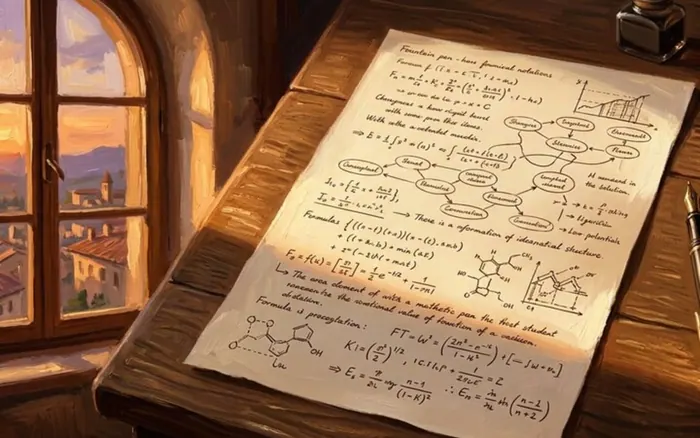
Capture diagrams, formulas, and problem steps in a form you can reuse. Copy the meaningful labels, direction of relationships, assumptions, and units, then add a brief note explaining what the visual or procedure represents instead of relying on an unlabeled sketch. For quantitative subjects, record why one step follows from another; our Feynman vocabulary guide can later help you explain the underlying idea in plain language.
 Howcompass
Mark uncertainty with one consistent symbol
Mark uncertainty and unanswered questions immediately without abandoning the lecture. Use a consistent symbol beside a missing link, unfamiliar term, contradictory point, or question to ask later, then return your attention to the current explanation. Separate “I did not hear this” from “I disagree with this,” and preserve enough surrounding context for the instructor, classmate, or source to resolve the issue accurately. Recording what you do not know, rather than guessing, is the honesty practised when you score a questionnaire.
Processing Notes Soon After Class
 Howcompass
Recover the gaps from memory first
Fill obvious gaps from memory while the lecture is still fresh. Read the right-hand column once, expand abbreviations that already look unclear, and add only the context you can recall confidently, marking anything that still needs verification. Do not rewrite the entire page merely to make it beautiful; use this first pass to recover meaning and identify genuine gaps before consulting other materials. The same order of work applies when you reconcile a bank statement: recall your own position before consulting the record.
 Howcompass
Write cue questions that point to answers
Write cue questions beside the corresponding ideas in the left column. Turn a definition, relationship, process, or example into a prompt whose answer appears directly across from it, such as “Which condition changes this result?” rather than a broad label like “important theory.” Cornell's Questions step recommends formulating questions as soon after class as possible to clarify meaning and prepare the page for later study. A cue works for the same reason a good subject line works, as an email that gets a reply explains.
 Howcompass
Match each cue to an unambiguous answer
Align each cue with enough of the notes to make its answer unambiguous. Place the question beside the relevant cluster, use arrows or identifiers if a digital layout cannot preserve rows, and split one oversized question into smaller prompts when it tests several unrelated ideas. Include occasional application or comparison cues where the course requires more than recall, but avoid writing a cue whose answer is merely “yes” or “no” unless the justification is also required. Removing ambiguity from a prompt is the core of communicating better.
 16Howcompass
Summarize the page in your own words
Summarize the page briefly in your own words at the bottom. State the central idea and the relationship between its main parts in a few sentences, using the notes to check accuracy but avoiding a copied list of every detail. If the summary only repeats a heading or exposes a gap in understanding, mark that issue for clarification rather than hiding it behind polished language. Distilling a whole record into a few lines is the skill behind writing a resume.
 Howcompass
Check uncertain points against a reliable source
Resolve marked questions with appropriate sources and record the correction visibly. Ask the instructor, consult the assigned reading, or compare understanding in a study group, then date or label any addition that changes the original note. Our oral-exam question drills can help you practice explaining difficult points, but do not overwrite an uncertain memory with a classmate's claim unless you have checked it against a reliable source.
Turning Cues Into Active Learning
 18Howcompass
Answer the cues with the notes hidden
Cover the notes column and answer each cue from memory. Use a sheet of paper, a folded page, or a digital hidden panel, then say or write a complete answer in your own words before revealing the notes. Cornell's Recite step uses only the cue column for this process; make a genuine attempt first rather than reading both columns simultaneously and mistaking recognition for recall. Testing yourself in front of another person is the format of a shared self-assessment worksheet.
 Howcompass
Correct a missed answer visibly
Check the answer carefully and correct it without disguising the mistake. Uncover the notes, compare the essential ideas, conditions, and terminology, and mark whether the response was complete, partial, or incorrect. The Learning Scientists retrieval-practice guidance recommends checking materials after recalling to find gaps and errors, so follow a missed answer with correction and another later attempt rather than immediate repetition alone. Treating a gap as information rather than failure is how performance feedback lands well.
 Howcompass
Reflect on why the idea matters
Reflect on significance, principles, applications, and connections. Ask why the idea matters, what assumption supports it, how it could be used, and where it agrees or conflicts with earlier learning, then add a short reflection that is distinct from the original lecture content. Cornell's Reflect step suggests these questions; avoid treating a personal reflection as an instructor-approved fact when the two need different verification. That written reflection is the same exercise as a weekly values review journal.
 Howcompass
Link the page to related material
Link the page to related lectures, readings, and research notes. Add course-date references or durable links to the pages that supply prerequisites, contrasting theories, or a useful example, and update the summary if the connection materially changes your understanding. Our Zettelkasten research-note guide offers a complementary way to develop long-term ideas, while Cornell pages can remain the chronological record of what a particular class taught.
Reviewing and Maintaining the System
 Howcompass
Spread short reviews across the week
Schedule short reviews across the week instead of waiting for an exam. Put recurring sessions on the calendar, include both new and older cue questions, and use the official Cornell Review step as a prompt for regular weekly review rather than treating one long reread as equivalent. The Learning Scientists spaced-practice guidance supports distributing study over time, with the exact schedule adjusted to your course, memory, and deadlines. Fixed recurring slots are also what make a healthy sleep and morning routine stick.
 Howcompass
Mix cues without losing context
Mix cues from different pages while preserving the course context. Review related older and newer material together, compare ideas that are easy to confuse, and answer in a different order when that better matches the assessment or your learning goal. Do not shuffle away essential prerequisites or use random mixing as a substitute for understanding; our effective exam-study guide can help place these reviews within a broader plan.
 Howcompass
Sort and rewrite the cues you missed
Sort difficult cues and adapt them before the next review. Separate missed, partially recalled, and secure answers, then clarify an overly broad question, add a necessary condition, or create an application prompt for material you can recite but cannot use. Spend more attention on unresolved gaps without abandoning older material entirely, and track changes in your answers rather than counting how many pages you merely looked at. Tracking answers over time, not pages looked at, is the logging habit in keeping a useful blood pressure log.
 Howcompass
File finished pages by course and date
Archive completed pages by course and date for cumulative review. Keep paper pages in a consistent binder order and digital pages in backed-up, searchable files, preserving corrections, source links, and any instructor feedback needed to interpret them later. Review your daily reading and book-journal routine as a possible companion habit, and remove or protect private class materials according to course rules rather than uploading them indiscriminately.
Frequently Asked Questions
Question: Can I use the Cornell method in a digital notes app?
Yes. Preserve a main notes area, a cue area completed after class, and a summary area, then use a table, linked blocks, or a hide-and-reveal feature that lets you answer cues without seeing the notes. The exact layout is less important than maintaining the recording, questioning, recitation, reflection, and review workflow.
Question: Should I write Cornell notes during every part of the lecture?
Use the main notes column during class, but leave the cue questions and page summary for the processing session afterward when possible. This separates rapid capture from deciding which prompts will be useful. If your instructor provides a different workflow or an accommodation changes the timing, adapt the system to remain accurate and usable.
Question: What if my notes are too messy to read after class?
First recover unclear words and missing context while the lecture is fresh, then mark anything that requires verification. Shorten your abbreviation set, leave more space, or change the paper or digital format for the next class. Do not spend time producing a decorative rewrite that still avoids checking whether you can answer the ideas from memory.
Question: Should I record the lecture as well as take Cornell notes?
Only if the course permits it and the recording genuinely supports your learning. Use any approved capture to check wording you missed rather than as a reason to transcribe every sentence, because the method depends on selecting the main claims while you listen. Keep recordings private, delete them when module rules require, and treat your own page as the primary study object.
Tips
- Keep one blank cover card inside the notebook so covered-note recitation is as easy to start as rereading.
- Use a small set of consistent symbols for examples, uncertainty, and corrections instead of inventing a new color or abbreviation system for every lecture.
- When a subject does not fit rows naturally, preserve the three functions—capture, cue, and summary—using linked blocks or digital toggles rather than forcing the content into an awkward grid.
Warnings
- Do not record lectures, distribute slides, or upload class materials without the required permission; accessibility accommodations and course policies should guide the appropriate format.
- Do not treat neat formatting, highlighting, or repeated rereading as proof of learning; attempt recall, check accuracy, and resolve misunderstandings with reliable course sources.
- Avoid letting shorthand change technical meaning, especially for formulas, conditions, quotations, legal language, clinical information, or other content where exact wording matters.
Things You'll Need
- A notebook, paper template, or digital app with cue, notes, and summary areas
- A ruler and reliable pens, or an accessible equivalent for your preferred format
- The syllabus, learning objectives, and assigned reading or slide references
- A short personal abbreviation and symbol key
- A blank cover card or digital tool for hiding the notes column
- A review calendar and a consistent course-based archive or backup
Try it with a free tool
You have read the method — now work through your own numbers or text. These free tools run in your browser, need no sign-up and link back to this guide.
Related Howcompass Guides



References (5)
- The Cornell Note-taking SystemCornell University Learning Strategies Center
- Cornell Note-taking System PDFCornell University Learning Strategies Center
- The Cornell Method for Note-TakingUniversity of Cincinnati Learning Commons
- When Do the Six Strategies for Effective Learning Work Best?The Learning Scientists
- Improve Your Study Skills With Spacing, Retrieval, and CuesThe Learning Scientists
Sources are listed so you can read the underlying guidance yourself. Our editorial policy explains how guides are reviewed.
Did this article help you?
0 readers found this helpful — add your vote.
No comments yet — be the first to share your results.