How to Organize and Back Up a Lifetime of Digital Photos
A guide to Gathering Photos and Protecting Originals, Selecting, Naming, and Describing the Collection, Managing Metadata, Edits, and Catalog Information, Building Independent and Recoverable Backups, Maintaining, Sharing, and Passing On the Archive
A lifetime photo archive should preserve memories and make them findable without depending on one phone, one app, or one person's memory. Use these 28 steps in our Computers and Electronics collection to gather originals carefully, build a simple catalog, maintain independent backups, and document the system for your future self and trusted family members.
Gather originals before deleting anything, copy them to one working drive, and build a simple folder and filename scheme. Record dates, people and places in metadata while you remember. Keep three copies, on two media, with one off-site; test a restore. Deduplicate by content, never by filename alone, and write the system down for whoever inherits the archive.
- Time
- 4–8 hours initially; about 1 hour a quarter
- Cost
- $0–$150 for drives or cloud storage
- Difficulty
- Moderate
- People
- 1–2
- Space
- A table and two drives
- Tools
- Computer, external drives, card reader, catalog app
How do you organize and Back Up a Lifetime of Digital Photos?
 Howcompass | How to Organize and Back Up a Lifetime of Digital Photos
Gathering Photos and Protecting Originals
HowcompassDecide what the archive is for
Define the scope and purpose of your photo archive. Decide whether you are preserving family history, creative work, travel memories, documents, or a mixture, and include important videos, scans, albums, and sidecar files in the inventory. Write down who may need to find or use the collection later so your organization is based on real retrieval needs rather than software defaults. Naming the audience first is the same move that makes a weekly values review useful, because the purpose decides what you keep.
 Howcompass
List every device, service, and account
Inventory every source before deleting or consolidating anything. List phones, cameras, memory cards, computers, external drives, discs, messaging exports, social accounts, cloud services, and relatives' collections, noting approximate dates and which libraries might overlap. Check that old accounts and devices remain accessible, but do not erase a source merely because its thumbnails appear in another location. The largest hidden pile usually sits in messaging exports and camera rolls, which our phone refresh guide shows you how to dig out.
 Howcompass
Create one master library with room
Create one master library with enough working space. Choose a reliable computer or storage location for the canonical collection, estimate the current size plus room for working copies and future imports, and separate this library from temporary downloads. If storage cleanup is necessary first, our slow-laptop guide can help you review space without treating irreplaceable photographs as disposable cache files.
 Howcompass
Copy sources into a labelled intake folder
Copy each source into a labelled intake area before editing it. Use a folder that identifies the device and import date, preserve the original directory structure where useful, and compare file counts, sizes, and a sample of opened images after copying. Keep the source intact until the master library and independent backups are verified, and never use a move operation as the first step with the only copy. Our file handling guides all start the same way: copy first, verify, and only then touch the originals.
 Howcompass
Keep originals and their data intact
Preserve original image files and their embedded information. Keep camera JPEGs, raw files, videos, and accompanying metadata unchanged in the master area, and avoid repeated saves that reduce quality or strip timestamps and camera details. Work on copies when cropping, converting, or correcting appearance, and record any later metadata change rather than silently rewriting the historical evidence. Physical archivists treat a print the same way, and our framing and mounting guide explains how to display something without harming the original.
 Howcompass
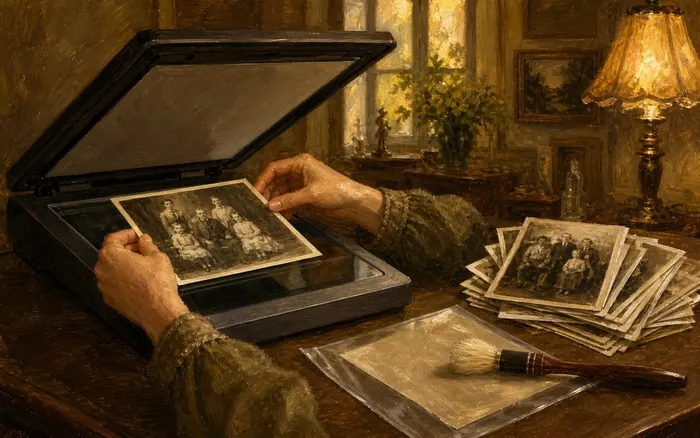
Scan prints as a master plus copies
Digitize prints and albums with a preservation master and a working copy. Clean and prepare the original photographs safely, choose a resolution suitable for the source and intended use, and keep an untouched high-quality master while using smaller copies for sharing. The Library of Congress scanning guidance discusses TIFF masters and JPEG working copies; our travel sketchbook guide can help you decide which accompanying journal pages add useful context.
Selecting, Naming, and Describing the Collection
 Howcompass
Fix camera clocks before sorting by date
Review camera clocks and time zones before sorting by date. Compare a few images with known events, note devices whose clocks were wrong, and correct copies or catalog fields with a documented offset instead of guessing every date. Preserve the original timestamp where possible and mark uncertain or estimated dates clearly so a future editor does not treat them as exact. Reading a device's own timestamps takes the same care we recommend when you read a payslip, where the small print decides the meaning.
 Howcompass
Build broad folders you can maintain
Build broad folders around the way you expect to browse. A simple year-and-event structure is easier to maintain than hundreds of highly specific folders, while large collections can add a top-level division for family, work, or creative projects. The Library of Congress personal archiving project guide likewise recommends starting simply with broad categories and refining the arrangement in later passes. Our guide to organising a growing photo library argues for the same broad-first structure and the same later refinement passes.
 Howcompass
Cull duplicates without losing the only frame
Review duplicates and bursts without deleting the only meaningful version. Compare resolution, focus, expressions, context, and whether an apparently inferior frame documents something different, then keep the versions that serve your preservation goal. Use duplicate-detection tools only as suggestions, verify matches visually, and move rejects to a temporary review folder until backups and the final selection are confirmed. The pile shrinks on its own if you shoot deliberately, which is the practical advice in our take better photos guide.
 Howcompass
Flag photos that came from other people
Separate screenshots, downloads, and photos received from other people. Record the source, creator, date received, and any permission or usage limits where known, and avoid presenting another person's image as your own work. Keep these files searchable within the broader collection, but do not strip existing attribution or assume that a family sharing invitation permits public republishing. Recording where an image came from is the provenance habit behind learning to vet a claim online.
 Howcompass
Name files consistently and readably
Apply a consistent, human-readable filename pattern. A format such as year-month-day followed by a short event and sequence number sorts chronologically while remaining understandable outside the photo app, with approximate dates labelled rather than invented. The Library of Congress digital photograph preservation tips support descriptive filenames, a clear directory structure, and a written explanation stored with the collection. It mirrors the archive practice of noting the subject and date on the back of a print, covered in our framing and mounting guide.
 Howcompass
Write captions that answer who and why
Add captions that preserve who, what, where, and why. Record names or relationships with consent, useful places and events, the photographer or source, and phrases such as probably or circa when details are uncertain. Avoid embedding unnecessary sensitive information about children, home addresses, or private events, especially when files may later be shared or uploaded. Our family memory guides keep pointing out that a caption naming people, place, and occasion is worth more than any album layout.
Managing Metadata, Edits, and Catalog Information
 14Howcompass
Split preservation masters from working copies
Separate preservation masters from everyday working copies. Keep original or high-quality master files read-only where practical, and create derivative JPEGs or project files for cropping, retouching, albums, and sharing so you can return to the source. When judging color and exposure for edited copies, our monitor calibration guide provides a more consistent viewing setup.
 Howcompass
Pilot metadata tools on a small batch
Test metadata tools on a small batch before changing thousands of files. Confirm how the software handles timestamps, filenames, captions, raw files, sidecars, and undo operations, then inspect both the edited copies and untouched masters afterward. Keep a log of batch changes and avoid automatic actions that could convert formats or discard fields without making those consequences clear. Checking the sample before trusting the result is exactly the instinct our guide to reading a research paper asks for.
 Howcompass
Use a controlled keyword list, not sprawl
Use a small controlled set of keywords instead of improvised tag sprawl. Choose reusable terms for broad themes such as family, travel, work, and a few recurring people or places, then apply them consistently while relying on folders and captions for the wider story. Review new tags occasionally so singular spelling variants and overlapping labels do not make search less reliable. A deliberate, limited vocabulary is also the point of our daily vocabulary habit guide: fewer terms, used consistently, retrieve better.
 Howcompass
Export the catalog out of the app
Keep catalog information available outside one proprietary application. Prefer tools that support standard embedded metadata, sidecar files, or a documented export, and periodically export the folder list, captions, ratings, and keywords in a readable format. Test that export on a fresh device or second viewer so you know the descriptions are not trapped in a database you cannot restore. Our data and file guides share one worry: information locked inside a single database is information you do not really own.
 Howcompass
Save edits as versions, never over originals
Save edited versions without overwriting raw files or original exports. Retain camera raw files and their adjustment information where available, use versioned filenames or a catalog to relate derivatives to the master, and avoid repeatedly compressing a working JPEG. Keep the original aspect, color, and resolution information when it matters, and generate fresh sharing copies from a stable master rather than from a social-media download. Getting it closer to right in camera reduces how much editing you need at all, the habit our take better photos guide builds.
 Howcompass
Write a readme for the whole system
Write a short readme that explains the entire system. Describe the master folder, naming pattern, date conventions, master-versus-working distinction, keyword list, backup locations, and the steps for importing new photographs. Store this plain-language document with the archive and review it after software changes so a trusted person can understand the collection without watching you use it. Instructions someone can follow without asking you are the same skill as an email that gets a reply: short, specific, and unambiguous.
Building Independent and Recoverable Backups
 Howcompass
Follow the 3-2-1 rule for masters
Follow a 3-2-1 backup plan for the master library. Maintain the primary collection plus at least two backups on different storage types or services, with one copy in a separate physical location where practical. The CISA data-backup guidance explains this approach; include sidecars, catalog exports, and the readme rather than backing up image files alone. If one copy lives on a home drive or NAS, the network advice in our whole-home Wi-Fi guide determines whether that job ever finishes.
 Howcompass
Automate backups that keep version history
Automate local and remote backup jobs with version history. Schedule copies that match how often new photographs arrive, monitor failures and available capacity, and retain earlier versions long enough to notice accidental deletion or corruption. Our encrypted cloud and local backup guide covers setup details, but remember that simple synchronization can copy deletions and is not automatically a complete backup.
 Howcompass
Secure the accounts holding your archive
Protect backup accounts, devices, and recovery information. Use unique passwords and multi-factor authentication for cloud services, encrypt sensitive portable drives where supported, and store recovery keys or codes securely and separately from the protected device. Give a trusted person an appropriate emergency access plan without writing credentials into the public photo catalog. A photo account deserves the login hygiene we recommend for a first bank account, because it is just as permanent and just as attractive to guessers.
 Howcompass
Keep one copy offline and isolated
Keep an offline or otherwise isolated copy for serious failure scenarios. Disconnect a periodically updated external archive after verification, or use a service and configuration designed to preserve independent immutable or versioned copies, and restrict who can delete them. An always-connected drive and a live sync folder may both be affected by the same malware, account compromise, or accidental mass deletion. If malware already reached a machine, our malware removal and browser reset guide covers containing it before you reconnect any archive drive.
 Howcompass
Test a real restore before you need it
Test restoration before an emergency makes it urgent. Restore a sample of originals, edited copies, metadata, and the catalog export to a separate location, then open the images and check that names and descriptions survived. The NCSC backup guide emphasizes knowing how to restore and checking that backups contain the important data. Practising the retrieval rather than trusting the archive is the same principle that makes studying for exams work.
Maintaining, Sharing, and Passing On the Archive
 Howcompass
Book a monthly intake session
Schedule a recurring intake session for new photographs. Import from each active phone and camera, preserve originals, apply the established folder and metadata routine, and confirm that the next backup includes the new material. A monthly session is easier to manage than reconstructing several years at once, but choose a frequency that matches how quickly your collection grows. Attaching the session to something already fixed in your week is the trick our vocabulary habit guide uses to keep routines alive.
 Howcompass
Run an annual integrity and coverage check
Perform an annual integrity and coverage review. Open a random sample from every storage period and backup location, check backup logs and available space, and compare file counts or checksums where your tools provide them reliably. Investigate missing years, unreadable files, abandoned accounts, and expired recovery methods instead of assuming a green backup icon proves that every memory is safe. Treat a green backup icon as a claim to test, which is the discipline behind learning to vet a claim online.
 27Howcompass
Migrate formats before they stop opening
Migrate storage and formats before they become difficult to read. Replace aging drives on a planned schedule, verify the new copies before retiring old media, and watch for software or account changes that could strand proprietary catalogs or original formats. Preserve the master during migration and document what changed, because copying to a new device is not complete until the files and metadata are usable there. Aging hardware is the same countdown described in our guide to speeding up a slow laptop: plan the swap while the old drive can still read.
 Howcompass
Share copies with consent limits stated
Share purpose-made copies with privacy and consent in mind. Export suitably sized images for relatives, albums, or public posts, review location and other embedded metadata, and avoid exposing sensitive documents, children's details, or identifiable private moments. Tell recipients when further sharing is restricted, and keep the preservation masters and full archive access separate from casual sharing links. Our guide to boundaries at a family gathering has usable wording for the relative who wants to repost everything to social media.
 Howcompass
Document who inherits the archive
Document a handover plan and keep the workflow useful for new photos. Identify a trusted archive contact, record where masters, backups, recovery instructions, and the readme are stored, and review permissions without placing passwords in an unsecured note. For future projects, a consistent capture setup such as our home portrait lighting guide can reduce corrective editing while the same intake routine preserves each new set.
How to know it worked
- Every source has been inventoried before anything is deleted.
- The folder and filename scheme is applied consistently.
- Three copies exist, on two media, with one off-site.
- A restore test has recovered a real file.
Common mistakes to avoid
- Deleting from a phone before confirming the copy.
- Organising by folder only, with no dates or people in metadata.
- Keeping every duplicate and making the archive unusable.
- Calling a second drive in the same room a backup.
- Never testing a restore.
- Leaving no written instructions for family or executors.
Frequently Asked Questions
Question: Should I delete blurry and duplicate photographs?
Only after preserving the collection and reviewing what each image documents. Duplicates can be culled when they add no value, but a technically imperfect photo may still be the only record of a person or event. Keep rejected files temporarily until the selection and backups are confirmed.
Question: Is a cloud photo account enough protection?
No single account is a complete preservation plan. Account loss, sync deletion, subscription changes, corruption, and service problems can affect access, so maintain independent copies on different storage and test restoration, including metadata and catalog information.
Question: What filename format works best for a family archive?
A consistent year-month-day, short event, and sequence-number pattern is a practical starting point because it sorts chronologically and remains readable outside an app. Use approximate-date labels when necessary and explain the convention in the archive readme.
Question: How do I find old photos locked in a service I can no longer log into?
Work the recovery route on a device you already trust, starting with the account recovery email and any saved passwords in your browser or password manager, then the provider's support process. Before deleting anything you recover, export it in the largest available format and note the original dates, because a re-uploaded file often loses its timestamps. If the account belongs to a relative who has died, most providers have a separate legacy or memorial request route that needs proof of relationship. Once the material is out, add the account to your inventory of sources so the same lockout cannot happen twice.
Tips
- Finish one small year or event completely before starting another; visible progress makes a lifetime archive feel less overwhelming.
- Ask relatives for names and stories while they are available, and record who supplied uncertain identifications so later corrections remain traceable.
- Include the catalog export and readme in every restore test, not just the most visually impressive photographs.
Warnings
- Do not delete a phone, memory card, account, or old drive until the master copies, independent backups, and a sample restoration have all been verified.
- Cloud synchronization can reproduce deletions, ransomware, and unwanted edits, so keep independent versioned or offline backups as well.
- Review consent, location data, children's information, and private documents before uploading or sharing photographs and their metadata.
Things You'll Need
- A reliable master-library computer or storage device with spare capacity
- Card readers, cables, and access to the original devices and accounts
- At least one external backup drive plus an independent remote backup option
- A suitable scanner for prints and albums where needed
- Photo-catalog or metadata software with a tested export method
- A secure recovery record and a plain-language archive readme
Related Howcompass Guides



References (5)
- Personal Digital Archiving: The Basics of ScanningLibrary of Congress
- Your Personal Archiving Project: Where Do You Start?Library of Congress
- Four Easy Tips for Preserving Your Digital PhotographsLibrary of Congress
- Data Backup OptionsCybersecurity and Infrastructure Security Agency
- Backing Up Your DataUK National Cyber Security Centre
Sources are listed so you can read the underlying guidance yourself. Our editorial policy explains how guides are reviewed.
What changed in this update: Reviewed November 2026: added the inventory-first rule, a 3-2-1 success checklist and the archive habits that fail at the worst moment.
Did this article help you?
0 readers found this helpful — add your vote.
No comments yet — be the first to share your results.