How to Recognize and Avoid Phishing Emails, Texts, and Fake Websites
A guide to Pausing and Assessing Unexpected Messages, Inspecting Links, Attachments, and Requests, Verifying Through Independent Channels, Strengthening Accounts and Devices, Responding After a Click, Payment, or Disclosure
Phishing is not limited to badly written email: a polished text, social-media message, phone call, QR code, or copied website can use the same pressure and impersonation. Use these 23 steps in our Computers and Electronics collection to verify unexpected requests without using the sender's links or numbers, strengthen your accounts, and respond promptly if you clicked, paid, or disclosed information.
How do you recognize and Avoid Phishing Emails, Texts, and Fake Websites?
 Howcompass | How to Recognize and Avoid Phishing Emails, Texts, and Fake Websites
Pausing and Assessing Unexpected Messages
HowcompassPause before touching an unexpected message
Stop before clicking, replying, scanning, calling, or forwarding an unexpected message. Leave the message available for later reporting, but do not forward a suspicious attachment or link to friends, coworkers, or a public group to ask whether it is safe. CISA's phishing guidance recommends resisting the bait and reporting it, so give yourself time to assess the request rather than letting the sender choose the pace. Slowing an impulse down into an actual assessment is the core of making well-reasoned decisions.
 Howcompass
Match the message to a real relationship
Check whether the message fits a transaction or relationship you actually have. Look for an order, appointment, delivery, account, or conversation you expected, and treat an invoice, refund, job offer, or account warning with no relevant context as a warning sign. The FTC phishing guide suggests asking whether you have an account with the company or know the person, while remembering that a familiar name alone still does not authenticate the message. A running record of your own transactions turns that context check into seconds of work.
 Howcompass
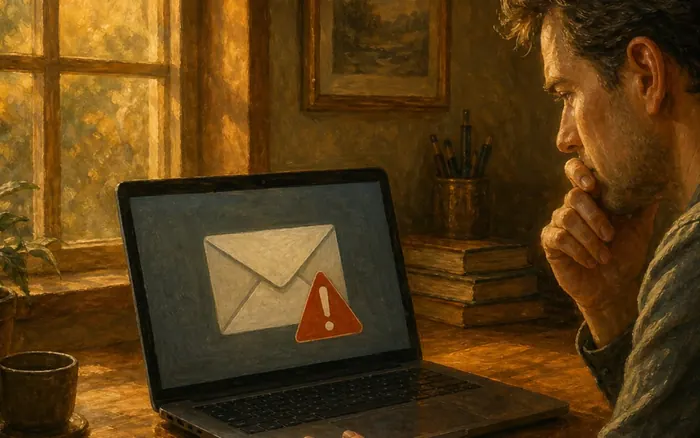
Name the pressure in the request
Identify pressure, fear, urgency, secrecy, or an unusually attractive reward in the request. Note claims that an account will close, a relative is in trouble, a payment must be made immediately, or a prize will disappear unless you act now. CISA recognition guidance highlights urgent and emotionally appealing language; a legitimate issue may still require prompt action, but you should handle it through a channel you already trust rather than following the demanding message. Recognising manufactured urgency is also the first step in resolving conflict respectfully.
 Howcompass
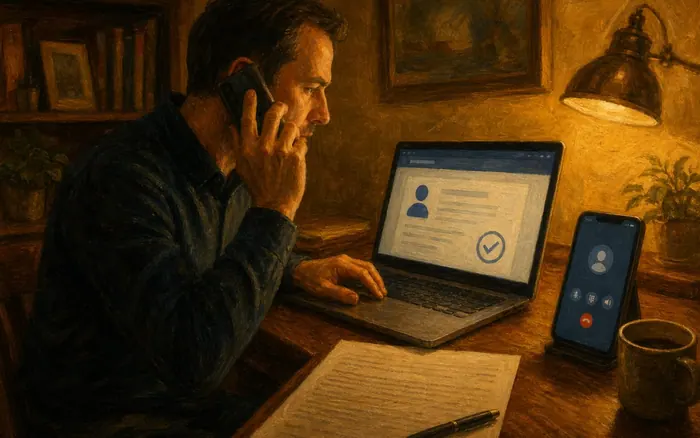
Compare the display name with the address
Compare the display name with the actual sender address, number, or account profile. Expand the sender details in your mail or messaging client and look for misspellings, extra characters, an unrelated domain, or a recent account with little history, without opening any included links. CISA phishing examples include incorrect addresses and lookalike links, but an exact expected address is not conclusive because a real account can be compromised or spoofed. Checking the stated source rather than the label is the method taught in reading a research paper.
 Howcompass
Weigh wording as a clue, not proof
Review wording and presentation as supporting clues rather than a final verdict. Generic greetings, implausible formatting, mismatched branding, and unusual requests can help expose a fake, but polished grammar and professional design do not prove legitimacy. CISA current phishing guidance notes that AI-era messages can have perfect spelling and grammar, so keep the message's context, destination, and requested action at the center of your assessment. Combining several weak signals into one honest reading is what scoring a questionnaire honestly practices.
Inspecting Links, Attachments, and Requests
 Howcompass
Preview the link without opening it
Inspect a link's destination only through a preview that does not open it. Use your mail client's hover or link-preview feature where available, avoid long-pressing or copying an uncertain link into a browser, and leave the page immediately if the destination cannot be checked safely. The FTC spam-text guidance warns that links can lead to convincing spoofed websites, so a preview is an inspection aid, not a reason to proceed. The same source-first discipline applies when you vet a claim you read online.
 Howcompass
Type the address yourself to reach it
Read the actual domain carefully and navigate independently when you need the service. Identify the registered domain rather than focusing on a familiar word elsewhere in a long address, watch for substituted letters and extra hyphens, and type a known address or use an existing bookmark instead of following the message. Do not treat a padlock or HTTPS as proof that the organization is genuine; encryption can protect a connection to a criminal's lookalike site as well as to a legitimate one. If the browser ignores what you type, follow resetting a hijacked browser.
 Howcompass
Keep attachments and codes untrusted
Treat unexpected attachments, downloads, QR codes, and document-sharing prompts as untrusted. Do not enable macros, install a requested app, scan a code to reach a login page, or grant access to a shared document merely because it appears to come from a contact. The FTC phishing guidance warns that attachments and links can install harmful software; verify the file or invitation through a separate channel before opening it. Where a lure pushes an app install onto a handset, clearing out a sluggish phone covers safe removal.
 Howcompass
Refuse requests for codes and remote access
Refuse unexpected requests for passwords, one-time codes, payment details, identity numbers, or remote access. Do not share an authentication code with a caller or enter it into a page reached from the message, and do not allow an unsolicited support agent to control your computer. The FTC phishing guide describes personal and financial information as the attacker's target, so end the interaction and verify the claimed issue independently. More credential and device protection steps are listed under account security guides.
 Howcompass
Hang up and find the real number
End an unsolicited call and avoid calling the number supplied in the message or shown by caller ID. Do not rely on a professional greeting, a transferred supervisor, or a caller who already knows some personal details, because those details can be stolen or invented. Use a number from your statement, card, existing app, or independently located official website; the FTC spam-text guidance specifically recommends a phone number or website you know is real. Official contact details live with your finance and business records, not with the caller.
Verifying Through Independent Channels
 12Howcompass
Check the claim inside the official app
Open the service's established app or type its known web address yourself to check the claimed issue. Review account alerts, orders, payments, deliveries, and messages inside the authenticated service without using the suspicious link, and compare the details rather than assuming a matching logo confirms the story. CISA verification guidance recommends going to the verified website or typing the address yourself when you think a message could be real. That compare-and-confirm routine is spelled out for money in reconciling a bank statement.
 13Howcompass
Reply through a channel you already trust
Contact the organization through a channel you already trust when the account information does not resolve the question. Use the number on a statement or the back of a card, an established customer-service app, or contact details found independently, and describe the message without sending money or granting access. Do not use the suspicious message's reply address, phone number, or chat link as the verification channel, because that keeps the possible attacker in control of the conversation. Write to that trusted address so it is answered, using the structure in an email that gets a reply.
 Howcompass
Verify a friend's request on another line
Verify a surprising request from a friend, relative, or coworker through a separate existing conversation. Call an established number or ask in person, and discuss the specific context rather than requesting a password or a voice phrase that could also be copied. CISA phishing guidance recommends using another way to reach the person, since a compromised social account, spoofed address, or cloned voice can make an urgent request appear familiar. Raising it without accusation is the harder part, as giving difficult feedback to a friend explains.
 Howcompass
Reconcile the invoice with your own record
Cross-check invoices, deliveries, refunds, and payment instructions inside the relevant account before taking action. Compare the order number and amount with your own records, and be especially cautious when told to pay with a gift card, cryptocurrency, a wire, or a transfer to a new account. Do not deposit a check and return part of the money or move funds to a supposedly safe account based on an incoming message; confirm any legitimate change directly with the organization. Odd payment routes attack your savings directly, so keep the monthly saving habit intact before agreeing anything.
 Howcompass
Keep the evidence, then block and report
Preserve only the evidence needed for a report, then use the service's report and block controls. Record the date, sender, claimed organization, and your actions, redact unrelated personal information from screenshots, and avoid forwarding harmful content to other potential victims. In the United States, the FTC phishing guide describes forwarding phishing email to reportphishing@apwg.org, texts to 7726, and reports to ReportFraud.ftc.gov; follow your provider and local authority's process elsewhere. Documenting a claim with dated records, minus unrelated personal detail, mirrors creating a home inventory.
Strengthening Accounts and Devices
 Howcompass
Update software and keep tested backups
Enable automatic security updates for your operating system, browser, phone, and security software, and maintain tested backups. Install updates through the device or vendor's official mechanism rather than a pop-up in an unexpected message, and keep important backups disconnected or otherwise protected from unauthorized changes. The FTC phishing protection guidance recommends security updates and backups as layers that can reduce harm even when a deceptive message gets through. For the copy that must survive everything else, follow backing up your photo archive.
 Howcompass
Store unique passwords and recovery details safely
Use a unique password for every account and store recovery information securely. A password manager can generate and fill credentials for the correct saved site, while our account-security guide explains recovery planning; still inspect unexpected login prompts rather than treating autofill as a complete phishing test. CISA social-engineering guidance advises changing every reused password after a compromise, so unique credentials limit the spread from one exposed account.
 19Howcompass
Add a second factor to key accounts
Turn on multifactor authentication for important accounts, especially email, finance, and password-management accounts. Prefer stronger options such as an authenticator app or security key where available, protect backup codes, and never disclose a one-time code to someone who contacted you unexpectedly. The FTC MFA explanation describes the additional credential as a barrier after a password is stolen, but MFA is not permission to approve an unexpected prompt or ignore a fake website. Backup codes matter most when a charger is unavailable, which preparing for a power outage plans for.
 Howcompass
Filter spam and agree a household rule
Use spam filtering, blocking, and household verification habits to reduce repeated exposure. Mark suspicious messages through the provider's official controls rather than experimenting with links, keep filters and browser protections enabled, and agree that family members will verify urgent payment or credential requests through a second channel. Share the recognition and reporting process without circulating the malicious content itself, and reduce unnecessary public disclosure of contact, travel, purchase, and account information that can make a lure more convincing. Write that second-channel rule into a family emergency communication plan.
Responding After a Click, Payment, or Disclosure
 Howcompass
Assess the damage without replying to them
Stop the interaction and assess what happened without contacting the sender again. If you downloaded something, allowed remote access, or believe malware may be present, disconnect the affected device from untrusted remote control and update and run reputable security software; seek qualified support for persistent symptoms rather than installing another unsolicited cleanup tool. The FTC scam-response guide recommends updating security software, scanning, and removing identified problems after giving a scammer computer access. If the machine is merely slow afterwards, speeding up a slow laptop is the safe route to a cleaner system.
 Howcompass
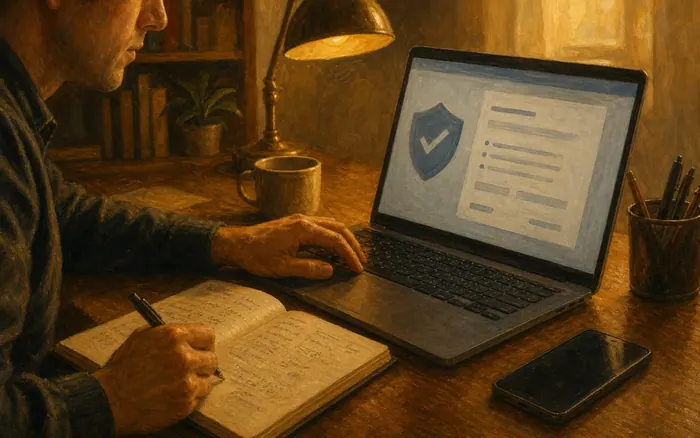
Reset passwords from a trusted device
Change compromised passwords from a known-clean device and secure the account recovery routes. Replace the exposed password everywhere it was reused, turn on MFA, review active sessions and recovery email or phone details, and use the provider's official account-recovery process if you are locked out. CISA phishing-response guidance calls for immediately changing revealed passwords, while the FTC scam-response guide provides steps for hacked accounts and computer access. Recovery routes and session review are grouped with other login protection guides.
 Howcompass
Call your bank before the money moves
Contact the bank, card issuer, payment service, exchange, or gift-card company immediately if you paid or disclosed financial details. Use an official number or app, explain that the transaction was fraudulent, and ask about available reversal, freeze, dispute, or account-protection options without assuming a refund is guaranteed. Follow the payment-specific steps in the FTC scam-response guide, and monitor subsequent charges or account changes while keeping records of every official contact. Freeze and dispute options are described account by account in managing your first current bank account.
 Howcompass
File the report and monitor your records
Document the incident and use the appropriate identity-theft, fraud-reporting, and monitoring resources. Keep a timeline of messages, payments, disclosures, account changes, and recovery actions, and watch financial and account statements for unauthorized activity. In the United States, use IdentityTheft.gov for a customized recovery plan when personal information is at risk and ReportFraud.ftc.gov to report the scam; contact local law enforcement or the relevant authority when threats, losses, or jurisdiction require it. Then disputing credit report errors while the recovery plan is still open.
Frequently Asked Questions
Question: Does a padlock or HTTPS mean a website is not phishing?
No. HTTPS can encrypt a connection to a lookalike site as well as to a legitimate service. Check the actual domain and, more importantly, navigate through an address, bookmark, or app you already trust instead of arriving from an unexpected message.
Question: What should I do if I clicked but did not enter information?
Close the page, do not continue interacting, and note what happened. Update and run reputable security software if you downloaded a file or see suspicious behavior, and monitor relevant accounts. If you granted remote access, disclosed credentials, or paid, use the more specific recovery steps and contact the appropriate provider immediately.
Question: Is a message safe if it uses my name or real account details?
Not necessarily. Personal and transaction details can come from data breaches, public posts, compromised contacts, or earlier scams. Use those details only as context, not authentication, and verify the claimed issue through an official app, known website, or trusted phone number.
Question: Does MFA make it safe to approve every login prompt?
No. MFA adds a layer of protection, but unexpected prompts and requests for one-time codes can themselves be part of an attack. Approve only sign-ins you initiated through a trusted channel, protect backup codes, and never read a code to an unsolicited caller or enter it into a suspicious page.
Tips
- Use an existing bookmark or the official app for routine account checks so you are not dependent on links arriving in messages.
- Agree on a household rule that urgent payment, gift-card, password, and one-time-code requests always require verification through a second channel.
- Keep a short incident timeline from the first message onward; exact times and actions are more useful to providers than a vague statement that you clicked something.
- Protect the primary email account with a unique password and MFA because it can reset access to many other services.
Warnings
- Never disclose a password, one-time authentication code, full payment number, or identity document in response to an unsolicited message or call.
- Do not enable macros, install remote-access software, or grant device control to someone who contacted you unexpectedly and claimed to offer support.
- A professional design, correct spelling, familiar logo, HTTPS padlock, or accurate personal detail does not prove that a message or website is legitimate.
- Do not forward suspicious links or attachments to others for inspection; preserve minimal evidence and use official reporting channels instead.
Things You'll Need
- An updated phone or computer with official security protections enabled
- Existing bookmarks or official apps for important accounts
- Trusted contact details from statements, cards, or independently verified websites
- A unique-password manager and protected recovery information
- Multifactor authentication with securely stored backup options
- A private incident log for dates, messages, disclosures, payments, and recovery contacts
Related Howcompass Guides




References (6)
- Recognize and Report PhishingCybersecurity and Infrastructure Security Agency
- Recognize and Report PhishingCybersecurity and Infrastructure Security Agency (CISA)
- Proceed with Caution, California: Attorney General Bonta Alerts Consumers to Ongoing Scam ActivityCalifornia Department of Justice, Office of the Attorney General
- Avoiding Social Engineering and Phishing AttacksCybersecurity and Infrastructure Security Agency
- Who do I contact for help with a scam or fraud?Consumer Financial Protection Bureau
- Identity Theft Recovery StepsFederal Trade Commission, IdentityTheft.gov
Sources are listed so you can read the underlying guidance yourself. Our editorial policy explains how guides are reviewed.
Did this article help you?
0 readers found this helpful — add your vote.
No comments yet — be the first to share your results.