How to Write with AI Without Sounding Like AI (Step by Step)
A guide to Phase 1 — Capture Your Voice Before You Prompt, Phase 2 — Draft in Pieces You Control, Phase 3 — Strip the Generic AI Sound, Phase 4 — Verify and Own the Final Text
AI writing usually sounds like AI because it averages everyone's style into one smooth, risk-free voice. This guide covers 30 concrete steps to keep yours intact, from building a voice reference from your own sentences to the final fact-check. The core move is to let the model do the structuring and drafting while you control the examples, the specifics and the judgement. You will learn to spot the tells — the tidy transitions, the hollow summaries, the vague adjectives — and replace them with something only you could have written. Browse all illustrated guides or the AI Writing & Content category for more illustrated walkthroughs on Howcompass.
How do you write with AI Without Sounding Like AI (Step by Step)?
 Howcompass | How to Write with AI Without Sounding Like AI (Step by Step)
Phase 1 — Capture Your Voice Before You Prompt
HowcompassCollect three to five of your own samples
Collect three to five of your own samples. Gather paragraphs you wrote yourself that sound like you at your best, ideally 200 words each. Real samples beat a written description of your style, because they carry rhythm and word choice a model can copy. For the primary source behind this phase, see Anthropic — AI research and documentation.
 Howcompass
Label the habits you want kept
Label the habits you want kept. Mark traits like short sentences, dry humour or a preference for concrete nouns. Being explicit about what to preserve stops the model from sanding away the very things that make the writing yours.
 Howcompass
List your words to avoid
List your words to avoid. Write down the phrases and stock adjectives you never want to see, such as delve, seamless or in today's fast-paced world. A ban list is the fastest way to remove the model's default vocabulary.
 Howcompass
Fix the reader and the purpose
Fix the reader and the purpose. Write one line on who is reading and what they should think or do afterwards. Voice is not decorating — it is choosing how directly you speak to a specific person for a specific reason.
 Howcompass
Give a role, an audience and a goal
Give a role, an audience and a goal. Open with who the model is writing for, who reads it and the outcome, in two or three lines. Context at the top steers every later paragraph more reliably than corrections after the fact.
 Howcompass
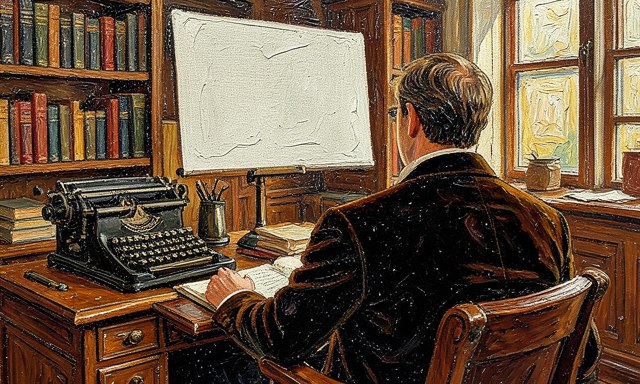
Paste a sample and ask for a match
Paste a sample and ask for a match. Include one of your paragraphs and explicitly ask the model to imitate its sentence length and tone. Anchoring to a sample constrains the output far better than adjectives like conversational or friendly.
 Howcompass
Request an outline before any prose
Request an outline before any prose. Ask for the structure first and refuse full paragraphs until you have approved it. Fixing a skeletal outline is cheap; rewriting a finished 800-word draft you disagree with is not. Related on Howcompass: make an AI-generated video.
Phase 2 — Draft in Pieces You Control
 Howcompass
Trim the outline to your real argument
Trim the outline to your real argument. Delete any section that does not advance your main point and reorder the rest yourself. An AI outline is a starting menu, not a table of contents you are obliged to follow. For the primary source behind this phase, see Purdue OWL — writing and citation guide.
 Howcompass
Write one sentence per section yourself
Write one sentence per section yourself. Before drafting, jot the single claim each section must make in your own words. These anchor sentences keep the model from answering a slightly different question in every paragraph.
 Howcompass
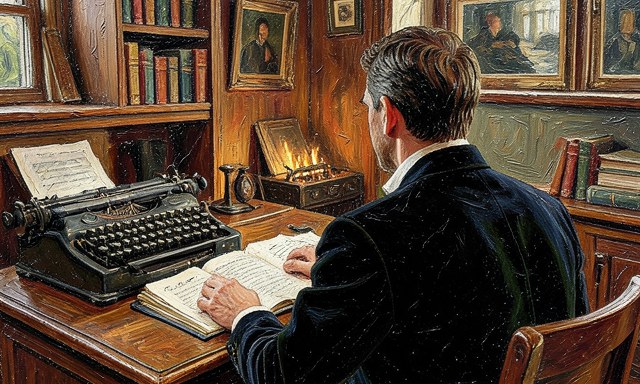
Decide what will not be included
Decide what will not be included. List the tangents, caveats and background the piece will deliberately skip. Telling the model what to leave out prevents the padded, everything-at-once feel of generic AI articles.
 Howcompass
Lock the structure before prose
Lock the structure before prose. Once the outline and claims read well, tell the model the structure is fixed. Reopening structure mid-draft is how a clean article turns into a meandering one. Browse all illustrated guides or the AI Writing & Content category for more.
 Howcompass
Draft one section per prompt
Draft one section per prompt. Ask for a single section at a time and paste the previous one for continuity. Whole-article drafts drift in tone; short requests keep each paragraph accountable to the section claim.
 Howcompass
Attach the claim and the sample again
Attach the claim and the sample again. Repeat the section's anchor sentence and one voice sample in each prompt. Models favor recent context, so restating it prevents the style from fading by the final third.
 Howcompass
Ask for specific examples, not filler
Ask for specific examples, not filler. Require every general statement to come with a named tool, number or concrete case. Specifics are the single clearest signal that a human with real knowledge shaped the piece. Related on Howcompass: prompt AI image generators.
 Howcompass
Keep the lines you would have written
Keep the lines you would have written. Replace any model sentence that says something you would phrase differently, even if it is correct. A few unmistakably yours lines do more for voice than a full polish pass.
Phase 3 — Strip the Generic AI Sound
 Howcompass
Cut the scaffolding transitions
Cut the scaffolding transitions. Delete throat-clearing openers and tidy signposts like moreover, furthermore and in conclusion. Human writing usually moves between ideas with less announcement and more momentum. For the primary source behind this phase, see Oxford Reference.
 Howcompass
Swap vague adjectives for numbers
Swap vague adjectives for numbers. Replace words like powerful, seamless or significant with a measurable detail or a named example. If you cannot name the number, cut the adjective rather than leaving it vague.
 Howcompass
Break the rhythm of equal sentences
Break the rhythm of equal sentences. Mix a short, even blunt sentence into a run of similarly sized ones. Uniform sentence length is one of the strongest givesaways of machine-written prose.
 Howcompass
Delete the empty closing summary
Delete the empty closing summary. Remove the final paragraph that merely restates the introduction without adding anything. End on a specific observation, a decision or a question instead of a tidy recap.
 Howcompass
Add one detail only you could know
Add one detail only you could know. Insert a real observation, a failed attempt or a number from your own experience in each major section. First-hand detail is the hardest thing for a model to fake and the easiest for a reader to feel.
 Howcompass
Turn passive into active
Turn passive into active. Rewrite sentences where something is done to something else so a clear subject performs the action. Active verbs shorten the line and restore a sense that a person is speaking. Related on Howcompass: make an AI-generated video.
 Howcompass
Ground claims in a real source
Ground claims in a real source. Attach an authoritative link or citation to each factual claim you intend to keep. A claim with a source reads as researched; a bare assertion reads as generated. Browse all illustrated guides or the AI Writing & Content category for more.
 Howcompass
Add one honest judgement
Add one honest judgement. State plainly what you think, including a caveat or a disagreement. Models hedge by default, so a clear, owned opinion is a strong signal of a human author.
Phase 4 — Verify and Own the Final Text
 Howcompass
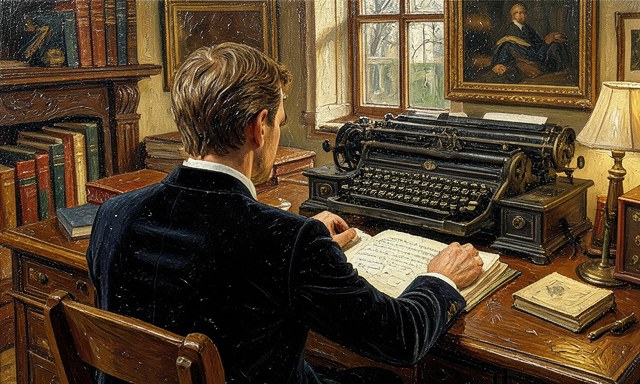
Check each number against its source
Check each number against its source. Open the original source for every statistic and confirm the figure and its date. AI confidently changes numbers, so a plausible statistic is not a correct one. For the primary source behind this phase, see NIST — AI Risk Management Framework.
 Howcompass
Verify that cited sources exist
Verify that cited sources exist. Search for every title, author and link the model produced, because invented citations are common and embarrassing. Remove anything you cannot find rather than hoping it is real.
 Howcompass
Scan for borrowed phrasing
Scan for borrowed phrasing. Check any sentence that sounds unusually polished against its source to avoid unintended copying. Paraphrase in your own structure and cite the idea even when the words differ.
 Howcompass
Read the whole piece out loud
Read the whole piece out loud. Read aloud and mark every place you stumble, then shorten or break that sentence. The ear catches rhythm problems and hollow lines that silent reading skips over.
 Howcompass
Confirm you stand behind every claim
Confirm you stand behind every claim. Go paragraph by paragraph and ask whether you would defend the statement in public. Delete or soften anything you cannot own, since your name goes on the result. Related on Howcompass: prompt AI image generators.
 Howcompass
Leave one deliberate imperfection
Leave one deliberate imperfection. Keep a personal aside, an uneven rhythm or a considered aside that a template would smooth away. Perfect symmetry is the giveaway; a little texture reads as a person.
 Howcompass
Log the prompt and the edits
Log the prompt and the edits. Save the working prompt, the outline and the final version together so the next piece starts from a proven process. Reuse what worked instead of reinventing the brief every time.
Frequently Asked Questions
Question: Is it okay to use AI to write at all?
Yes, when you keep control of the argument, the examples and the final judgement; treat it as a drafting and structuring helper, not a ghostwriter you publish unread.
Question: How do I make AI match my voice?
Give it real samples of your writing and ask it to match sentence length and word choice; a specific ban list of overused phrases helps more than adjectives like casual.
Question: What are the clearest signs of AI-written text?
Uniform sentence length, stock transitions, vague positive adjectives and a summary that repeats the intro; each is a cue to add a specific detail or cut the line.
Warnings
- Asking for a whole article in one prompt: A single prompt gives the model too much room to drift and too little of your voice; lock an outline, then draft and edit one section at a time.
- Trusting the model's facts: AI will invent statistics, quotes and citations in a confident tone; verify every number and source against the original before you publish.
- Only editing for grammar: A clean, error-free draft can still sound entirely generic; spend your effort on specifics, rhythm and owned opinions, not just surface corrections.
Related Howcompass Guides




References (4)
- Anthropic — AI research and documentationanthropic.com
- Purdue OWL — writing and citation guideowl.purdue.edu
- Oxford Referenceoxfordreference.com
- NIST — AI Risk Management Frameworknist.gov
Sources are listed so you can read the underlying guidance yourself. Our editorial policy explains how guides are reviewed.
Did this article help you?
0 readers found this helpful — add your vote.
No comments yet — be the first to share your results.