How to Protect Smartphone Battery Health With Smarter Charging
A guide to Know How Lithium-Ion Batteries Fade, Set Up Smarter Charging Habits, Handle Storage, Cold Weather, Chargers, and Laptops, Read the Numbers and Replace Safely
Every phone, laptop, and pair of earbuds you own runs on the same chemistry: a lithium-ion cell that wears down a little each time it stores and releases energy. The wear is real and unavoidable, but its rate is not fixed. Two batteries bought on the same day can be five capacity points apart after eighteen months, and the difference is almost always heat, charging habits, and where the device spent its nights. The fading comes from three overlapping processes. Cycle wear accumulates with every full measure of energy moved in and out of the cell. Calendar ageing runs whether you use the device or not, and it accelerates when the cell sits at full charge or at high temperature. Heat does the most damage of the three because it speeds both of the other processes, which is why a warm charging phone under a pillow is the single worst everyday pattern. This guide works through the four phases in order: understanding what actually wears the cell, setting up daily charging habits and built-in software limits, handling the awkward cases like storage, cold weather, and laptops, and finally reading the battery-health numbers so you know when a service visit makes sense and when it does not. Nothing here requires giving up fast charging or living at half battery — it is mostly settings, placement, and one monthly glance.
Lithium-ion batteries in phones, laptops, and earbuds fade from charge cycles, calendar age, and heat. Keep daily charge between roughly twenty and eighty percent using the built-in optimized-charging or charge-limit settings, never charge under a pillow, remove thick cases while plugged in, prefer slower adapters for routine top-ups, and center devices on wireless pads so wasted watts do not become heat. Store unused devices at about half charge in a cool place with a top-up every few months, buy only chargers marked UL, ETL, or CSA, treat eighty percent battery health as your replacement planning point, and take a swollen device straight to an approved e-waste point.
- Time
- 10 minutes of setup; habits pay off over 12-24 months
- Cost
- $0 for settings; $20-$50 for certified spare chargers
- Difficulty
- Beginner — settings, placement, and one monthly check
- Works on
- Phones, laptops, tablets, earbuds — any lithium-ion device
- Not for
- Swollen, damaged, or overheating batteries — stop use and handle disposal first
- Results
- Health percentage holds higher for longer; replacement becomes a planned decision
How do you protect Smartphone Battery Health With Smarter Charging?
 Howcompass | How to Protect Smartphone Battery Health With Smarter Charging
Know How Lithium-Ion Batteries Fade
HowcompassLearn What One Charge Cycle Actually Means
A charge cycle is the cumulative use of one hundred percent of the battery's capacity, not one plug-in session: discharge forty percent today and sixty percent tomorrow and the pair adds up to a single cycle. Most consumer lithium-ion cells are rated somewhere between roughly 400 and 1,200 cycles before noticeably reduced capacity, according to Wikipedia's lithium-ion battery overview. Plug-in frequency barely matters; total energy moved through the cell does, which is why topping up from half to eighty percent several times a day is gentler than one deep run from empty to full.
 Howcompass
Check Your Battery Health Readout Today
On iPhone, open Settings, then Battery, and read the Battery Health and Charging screen: it shows maximum capacity, your charge limit, and whether performance management has kicked in. On recent Pixel phones, Settings, then About phone, then Battery information reveals the cycle count and marks health as reduced once capacity falls below eighty percent of original; older Androids expose the same figures through the manufacturer's care app. Write today's number and date somewhere permanent and re-check monthly, because your own baseline beats any forum comparison.
 Howcompass
Treat Heat as the Primary Degradation Driver
Chemical ageing speeds up with temperature, and the damage is permanent: a phone that routinely sits warm while charging will lose capacity faster than an identical one that stays cool, no matter what charge limit you set. Keep devices off sunlit windowsills, out of glove boxes and dashboard shelves, and never under a pillow or duvet while plugged in, because insulation traps the waste heat the charging circuit produces. If a device feels hotter than you would hold comfortably, unplug it and let it cool on a hard, airy surface before reconnecting.
 Howcompass
Separate Cycle Wear From Calendar Ageing
Even a barely-touched battery loses capacity with time: documented lithium-ion behaviour is a loss of roughly a fifth of cyclable charge across three to five years at normal room temperatures. That is why a sealed spare phone you never used still holds a weaker charge today, and why buying a device that sat on a warehouse shelf for two years can start you at ninety-four percent health. Calendar ageing runs fastest at high state of charge combined with warmth, so the same habits that reduce cycle wear — moderate limits and cool storage — also slow the clock.
 Howcompass
Pick a Target Charge Band That Fits Your Life
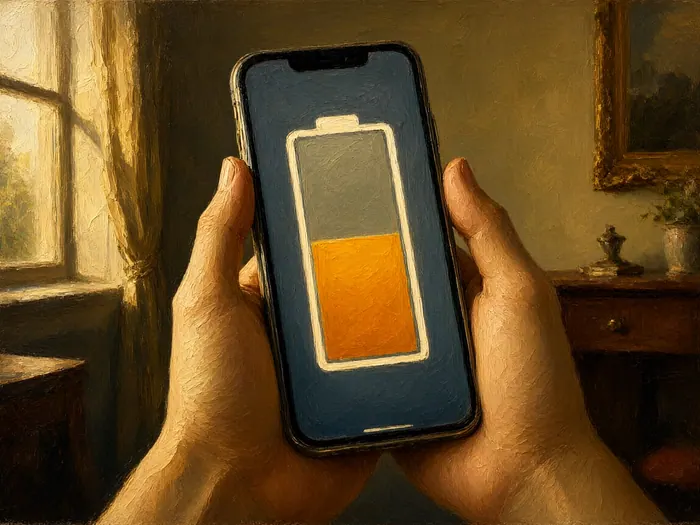
Deep discharges and long stays at full charge are the two states lithium-ion cells tolerate least, which is why manufacturers steer you toward a middle band without ever printing the number in an ad. A practical habit is starting the day near eighty percent, rarely letting the phone drop below twenty, and topping up in short sessions instead of one long deep cycle. If that sounds fussy, let the software do it: our guide to extending smartphone battery lifespan with 80 percent charge limits walks through the exact settings on iPhone, Pixel, and Galaxy.
Set Up Smarter Charging Habits
 Howcompass
Turn On Optimized Charging or a Charge Limit
Apple's Optimized Battery Charging learns your wake time, pauses overnight charging at eighty percent, and tops up just before your alarm, while newer iPhones add an explicit charge limit adjustable between eighty and one hundred percent. On Galaxy phones, the modes described in Samsung's Galaxy Battery support hub range from a Basic mode that eases off at full charge to a Maximum mode that caps the battery at a chosen percentage. Pixels offer the same split between an adaptive feature and a hard eighty-percent limit. Turn one of these on for every daily device before you read any further.
 Howcompass
Keep Overnight Charging Cool and Visible
Charging in bed is where the heat problem becomes a fire problem: a phone under a pillow cannot shed the warmth its charging circuit produces, and bedding is fuel sitting centimeters away. Move the whole ritual to a hard nightstand surface, lay the device face-up where nothing covers it, route the cable so it is not pinched against the frame, and use the adapter that came with the device or a certified replacement. If your phone still feels warm when you wake, that is the signal to relocate the charger, not to sleep through it.
 Howcompass
Take Off Thick Cases While Charging
Rugged cases insulate the back of the phone and trap the warmth that charging produces, holding the cell in a hot microclimate for the entire session. If your device runs hot in its case, take the case off, or keep a thinner shell for nights on the cable; wireless charging makes this worse because coil losses add their own heat underneath. A case with a credit card or metal plate in the back should always come off on a wireless pad. The check is simple: feel the device through the case when it is unplugged, and if it is warm, the case is part of the problem.
 Howcompass
Use the Slowest Charger That Fits Your Day
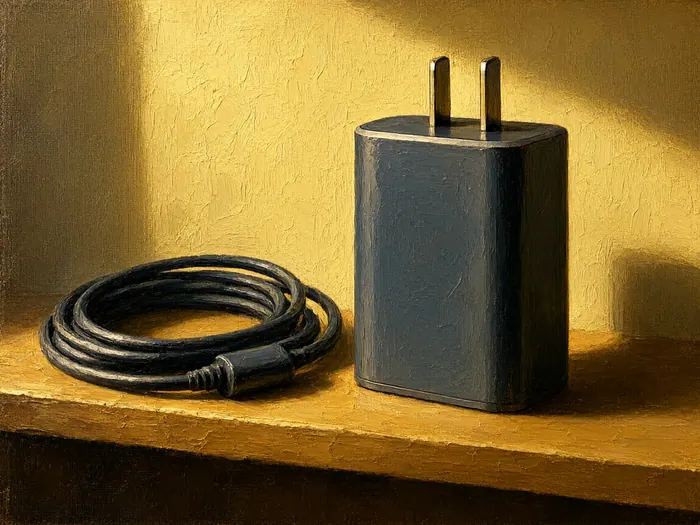
Fast charging is genuinely convenient, but the high-power phase pushes extra heat into the cell, and heat is what ages the battery. Keep a low-wattage brick — ten to twenty watts is plenty for a phone — permanently at your desk for top-ups you will not rush, and save the larger charger for the morning you forgot to plug in. Wired charging is generally cooler than wireless at equal power because less of the input is lost as waste heat on the way in. Nothing about a quality fast charger is unsafe; it is simply a trade of lifespan for minutes.
 Howcompass
Center Your Phone on the Wireless Pad
Wireless charging moves energy between two coils, and any misalignment turns part of the input power into waste heat instead of battery charge — which is why pads and phone backs run warmer than a cable at equal speed. Center the device so its coil sits directly over the pad's coil, which on magnetic models means letting it snap squarely onto the ring rather than eyeballing the position. Remove anything thick or metallic from between the two surfaces, and avoid running camera or gaming apps while docked, because you are stacking the phone's own heat on top of the pad's.
Handle Storage, Cold Weather, Chargers, and Laptops
 Howcompass
Store an Idle Device at Around Half Charged
A lithium-ion cell parked at full charge drifts toward permanent capacity loss, and one left empty can discharge into a state where it refuses to take power again, so the safe storage point for anything you will not use for a month or more is roughly half charge, in a cool, dry place out of sunlight. Power the device down rather than leaving it in standby so the level you set is still there later, and put a repeating reminder every three months to check and top back up to around half. A drawer in the least-warm room of the house beats any shelf near a window, radiator, or kitchen.
 Howcompass
Let a Cold Device Warm Up Before Charging
When a lithium-ion cell is near or below freezing, its electrolyte thickens and charging can plate metallic lithium onto the inside of the cell, causing damage that never reverses; even just above freezing, a slow gentle charge is the documented safe route and a fast charge is not. So when you come in from winter weather, let the phone, laptop, or earbuds sit and reach room temperature for at least half an hour before plugging in. Never charge a device that moved from very cold to warm and is visibly damp or fogged inside its screen, because condensation can short circuits while power is applied.
 Howcompass
Buy Certified Chargers, Not the Cheapest
An uncertified charger can hold the wrong voltage, run hot, or skip the protection circuits that stop a cell from running away, and discount marketplace bricks are exactly where those shortcuts hide. Look for a mark from a nationally recognized testing laboratory — UL, ETL, or CSA — printed on the adapter itself rather than only on the box, and see NFPA's charging-safety campaign page for the buy-certified-and-charge-alert message fire departments run each year. The same guidance covers cables and power banks. A twenty-dollar adapter from a known vendor is far cheaper than one insurance claim.
 Howcompass
Charge Laptops on Hard Surfaces, Vents Clear
A laptop charging on a bed or cushion has its intake vents smothered, so the battery and the processor run hot together, and sustained warmth shrinks a laptop battery year over year faster than usage does. Work on a desk or a lap tray, raise the rear edge a little for airflow, and plug in whenever convenient: modern laptops run from the adapter once the cell is capped and stop stressing it, so being tethered at your desk is gentler than regular discharge-and-recharge cycles. When the chassis runs hot anyway, our walkthrough for cleaning laptop fans and air vents to stop thermal throttling removes the usual cause.
 Howcompass
Pack a Power Bank for Outages and Travel
A charged power bank keeps a phone alive through a storm outage or a long travel day without repeatedly driving the device's own cell to zero, which is the pattern that ages it fastest. Store the bank itself at roughly half to eighty percent in a cool drawer rather than parked fully charged for months, and run it down and refill it a couple of times a year so its reading stays honest. For flying, keep it in carry-on at a capacity comfortably inside the common aviation limit of about one hundred watt-hours. Our guide to preparing for a power outage and responding safely covers the wider kit.
Read the Numbers and Replace Safely
 Howcompass
Understand What Eighty Percent Capacity Means
The maximum-capacity figure is the share of original charge the cell can still hold, so a phone reading eighty percent simply has about four-fifths of its new runtime left. Google's Pixel battery guidance treats below eighty percent, or the rated cycle count of roughly 800 to 1,000 cycles depending on model, as the point to consider replacement, and Apple's readout works the same way. Eighty is a planning number, not a cliff: day-to-day use stays normal, and performance throttling only appears once the cell is genuinely worn enough to drop voltage under load.
 Howcompass
Weigh a Battery Swap Against New Device
A fresh cell fitted by the manufacturer or an authorized provider typically restores most of the runtime you lost and costs far less than a comparable new phone or laptop, so check the current repair price on the maker's service page before you start shopping for replacements. Replacement makes sense when the device is otherwise healthy, the quote sits well under a quarter of a new unit's price, and software updates still have years to run. Back up first: the same discipline our guide to backing up your computer to an external drive teaches applies to phones before any service appointment.
 Howcompass
Fix Software Drain Before Blaming the Battery
A capacity reading in the high nineties paired with poor runtime usually means runaway apps, constant syncing, a rogue background process, or a half-cleared cache — not worn chemistry. Put the device on an overnight airplane-mode test and compare the battery usage graph week to week; if an idle night costs fifteen percent or more, the phone is leaking power in software. Work through our checklist to clear out and refresh a phone that has become sluggish before booking any hardware work, because replacing a healthy cell will not fix drain.
 Howcompass
Stop Using a Swollen Battery Immediately
If the back panel or screen starts to lift, the case seam gapes, or the device suddenly rocks on a flat table, gas from a failing cell has built up inside. Stop using it, unplug it, and do not press, squeeze, or puncture the swelling — piercing a pouch cell is how they ignite. Leave the device on a metal tray or tile, away from heat and people, until you can dispose of it. The U.S. Consumer Product Safety Commission is blunt that lithium cells must never go in household trash or curbside recycling; take it to a household hazardous waste center or an approved e-waste drop-off, and call ahead.
 Howcompass
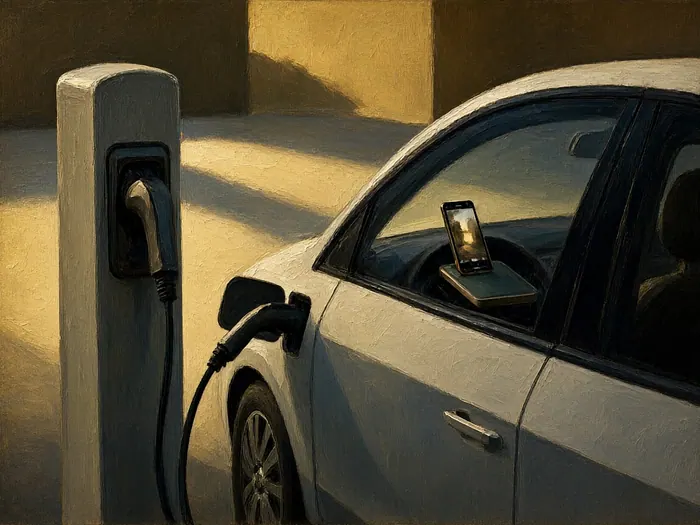
Borrow the Right Lessons From Electric Cars
Electric-vehicle makers publish the same advice phone makers give: charge to eighty percent for daily driving, use the fastest chargers mainly on road trips, and avoid parking a hot, full pack for long stretches afterward. Car packs add liquid cooling that a slim phone cannot carry, so your everyday habits matter more on small devices, not less. Earbuds follow the phone rules at miniature scale: dock them on a cool shelf overnight, and never leave an empty case cooking in a parked car in summer, which is where many owners quietly lose a third of their listening hours.
How to know it worked
- Optimized charging or a charge limit is switched on for every device you use daily.
- Overnight charging happens on a hard, uncovered surface and the device is cool when you wake.
- Your monthly log shows a single baseline number and no cliff-like drop over three months.
- Any spare device is powered down at around half charge with a top-up reminder set.
- Your chargers carry a visible certification mark and you know the nearest hazardous-waste drop-off.
Common mistakes to avoid
- Cycling the phone from automatic shutdown to a full charge every single day instead of topping up short and often.
- Charging under pillows or on soft furniture, which traps heat and turns a battery habit into a fire risk.
- Running the fastest adapter for every session, including overnight, when a slow desk charger would do.
- Storing a spare device fully charged — or dead empty — in a hot drawer for months.
- Ignoring the health readout until unexpected shutdowns start, then blaming the shop or buying a new phone that needs none of it.
Frequently Asked Questions
Question: Do I really need to keep my phone between 20 and 80 percent?
You need to keep it out of the two extremes most of the time, not every minute of every day. Cells wear slowest between roughly twenty and eighty percent, but one full charge before a travel day costs almost nothing. The practical version is turning on your phone's optimized charging or charge limit and letting the software hold the middle band for you instead of watching a number.
Question: Is charging overnight destroying my battery?
Overnight charging itself is managed: modern phones finish the charge early or pause at eighty percent and sit on adapter power, and a phone plugged in all night at a cool temperature ages slowly. The two real risks are heat and bedding. Charge on a hard surface with nothing covering the device, keep the room temperate, and leave the optimized-charging feature on.
Question: Are third-party chargers safe to use?
A certified third-party charger from a known brand is fine; an uncertified no-name brick is not. Look for a UL, ETL, or CSA mark printed on the adapter itself, match the output wattage and USB standard your device expects, and treat suspiciously cheap marketplace listings as a fire risk rather than a bargain. Cables matter just as much as the charger head.
Question: Is wireless charging worse for battery health?
Slightly, because inductive charging loses more energy than a cable and the losses leave as heat right behind the battery. A well-aligned magnetic pad with a thin case and no heavy apps running is a small penalty you can accept for convenience. Misaligned, thick-case, use-the-phone-while-charging sessions are the version worth avoiding.
Question: How fast should my battery health percentage drop?
Expect the steepest early decline to flatten into a slow slide, with typical devices staying in the high eighties or better through the first couple of years under moderate habits. A drop of a point or two over a quarter is unremarkable. A fall of several points in a few weeks, or shutdowns at forty percent, is a signal to get the cell checked.
Question: When is replacing the battery better than buying a new phone?
When the device is otherwise fine: an authorized battery service restores most runtime for a fraction of a new phone's price, which usually makes sense if health is under eighty percent, the repair quote is well under a quarter of a replacement device's cost, and software updates still have years left. Choose new when screen, camera, or support obligations fail alongside it.
Question: What do I do with an old or swollen battery?
Old working devices and loose lithium cells go to a household hazardous waste center or an approved e-waste drop-off, never the household bin or curbside recycling, because crushed cells start fires in collection trucks. For a swollen device: stop using it, unplug it, do not puncture it, carry it in a rigid container, and call the facility ahead to confirm they accept damaged lithium batteries.
Tips
- Turn on the built-in optimized-charging or charge-limit setting on every daily device in one sitting; it does the 20-80 job without willpower.
- Give the nightstand a hard charging surface and a phone lying uncovered — the pillow is the fire risk, not the battery.
- Keep a slow low-wattage charger permanently at your desk and reserve the fast brick for mornings you genuinely forgot to plug in.
- Log your battery-health percentage on the same day each month in one note; trends from your own device beat any comparison thread.
- For stored devices, set a recurring reminder every three months to check the charge and top back up to around half.
Warnings
- A swelling or lifting case or screen means a failing cell: stop using the device, unplug it, never press or puncture it, and take it to a household hazardous waste or approved e-waste point. Lithium batteries must never go in household trash or curbside recycling.
- Never charge a phone or laptop under a pillow, duvet, or cushion, and never charge high-capacity packs unattended while you sleep. Charge on hard, clear surfaces where waste heat can escape.
- Uncertified chargers and cables can overheat or bypass protection circuits. Use adapters marked by a recognized testing laboratory such as UL, ETL, or CSA, and stop using any charger that buzzes, smells hot, or discolors.
- Do not fast-charge a device that is freezing cold or damp from condensation; let it reach room temperature first. Charging below about five degrees Celsius can permanently damage the cell, and moisture plus power can short circuits.
Things You'll Need
- Certified wall adapter matching your device's rated wattage
- Low-wattage desk charger reserved for slow routine top-ups
- Replacement USB-C cable from a reputable brand
- Thin charging-friendly phone case for overnight sessions
- Hard flat stand or tray for nightstand charging
- Magnetic or Qi wireless pad that centers the device
- Ten-thousand-milliamp-hour power bank for travel and outages
- Small shelf thermometer for the storage drawer
- Metal tray for isolating a suspected swollen device
- Lint-free cloth for clearing vents and connector dust
- Notebook or phone note for the monthly health log
- Laptop stand or simple rear riser for airflow
- Card in your wallet with the nearest e-waste drop-off
- Manufacturer repair-price page saved before service decisions
Related Howcompass Guides




References (6)
- About Charge Limit and Optimized Battery Charging on iPhoneApple Support
- Understand Pixel Battery Health, Capacity, and Cycle CountsGoogle Pixel Phone Help
- Galaxy Battery — Battery Care and Protection ModesSamsung Support
- Consumer Safety Warning on Lithium-Ion Battery Fire Hazard and DisposalU.S. Consumer Product Safety Commission
- Fire Prevention Week — Lithium-Ion Battery Charging SafetyNational Fire Protection Association
- Product Safety Testing and CertificationUL Solutions
Further reading
Encyclopaedia entries are background, not evidence: no step below rests on one of these.
Sources are listed so you can read the underlying guidance yourself. Our editorial policy explains how guides are reviewed.
Did this article help you?
0 readers found this helpful — add your vote.
No comments yet — be the first to share your results.